
Searching
The Search mail field is at the top of the message list. Press / to jump straight into it.
How Mail searches
- Type one or more words. Mail finds conversations that contain all of them: in the subject, in names and addresses, in the text and in the names of attachments.
- The last word may be incomplete:
proposalso finds “proposal”. - Accents don't matter:
mulleralso finds “Müller”. - Unless you say otherwise, Mail searches every folder of your mailbox except Trash and Spam.
Search words
These additions make a search more precise. Combine them as you like.
| Type | Finds |
|---|---|
"exact phrase" | the words in exactly this order |
from:clara | messages from Clara, by name or address |
to:ben (or cc:) | messages to Ben |
subject:proposal | “proposal” in the subject |
file:pdf (or attachment:) | “pdf” in the name of an attachment |
has:attachment | messages with attachments |
is:unread, is:read | unread or read messages |
is:starred | starred messages |
label:Invoices | messages with this label |
in:Projects | only in this folder, by its full name, e.g. in:Projects/Website |
in:trash, in:spam | in Trash or Spam too; likewise in:inbox, in:sent, in:drafts, in:archive |
after:2026-10-01 | from this day on |
before:2026-11-01 | before this day |
Upper and lower case don't matter. If Mail doesn't understand an addition, such as a date written another way, it tells you.
Filters
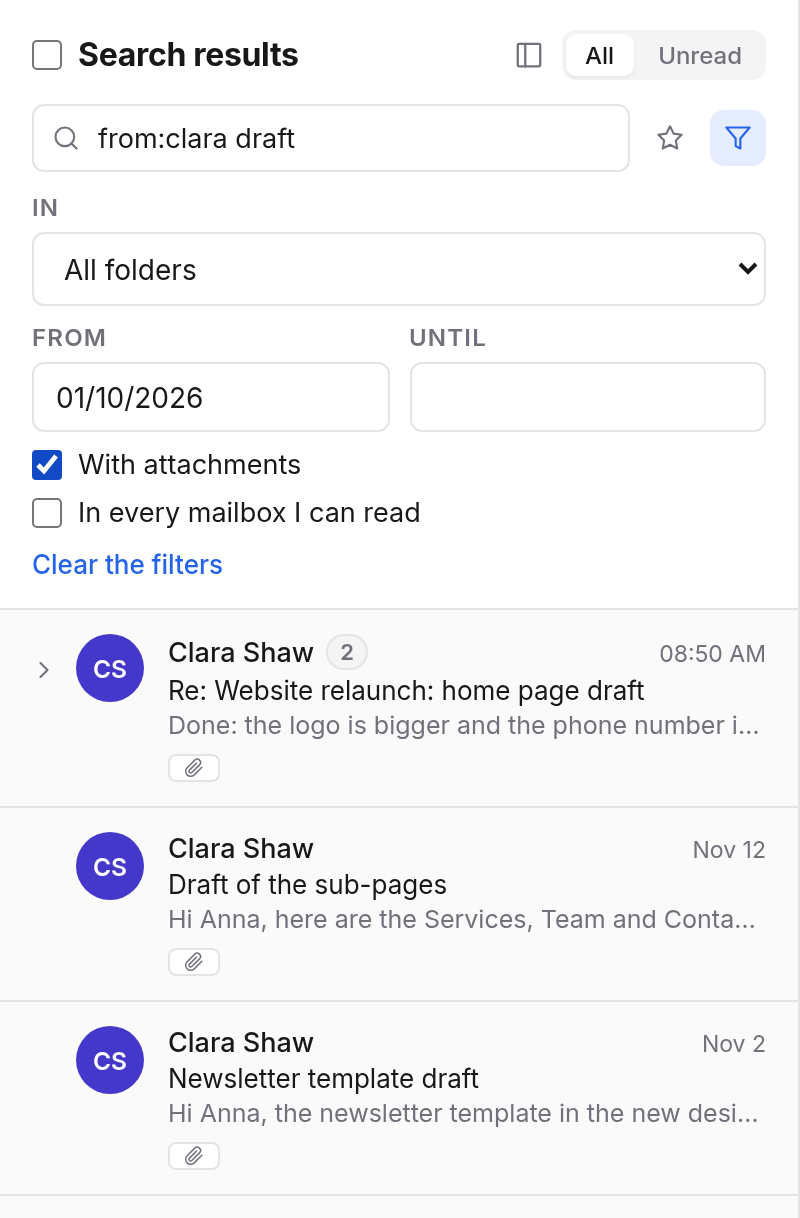
Instead of typing search words, narrow the search with Filters (the funnel beside the search field):
| Filter | Meaning |
|---|---|
| In | All folders or one folder, Trash or Spam included |
| From and Until | a period |
| With attachments | only messages with attachments |
| In every mailbox I can read | also searches group mailboxes and mailboxes shared with you. A result opens in its own mailbox. |
Clear the filters removes them all.
Saving searches
Keep a search you need often:
- Type the search, e.g.
label:Client is:unread. - Choose the star, Save this search, beside the search field.
- Give it a name, e.g. “Open client mail”.
It then appears in the sidebar under Saved searches. Click it to run it again. Remove it with Remove from the menu beside it.
Examples
Eva Miller's proposal with a PDFfrom:eva subject:proposal has:attachment
Unread mail about the project from the last few weeks"website relaunch" is:unread after:2026-11-01
Something you deletedin:trash invoice
Mail you sent to Frankin:sent to:frank