
Sheets
Sheets is the spreadsheet app of Docs. If you know Excel, you'll feel at home straight away: the same grid with over a million rows, the same functions, pivot tables, charts and conditional formatting. Excel files open with everything that's in them, and go back out as .xlsx.
Formulas
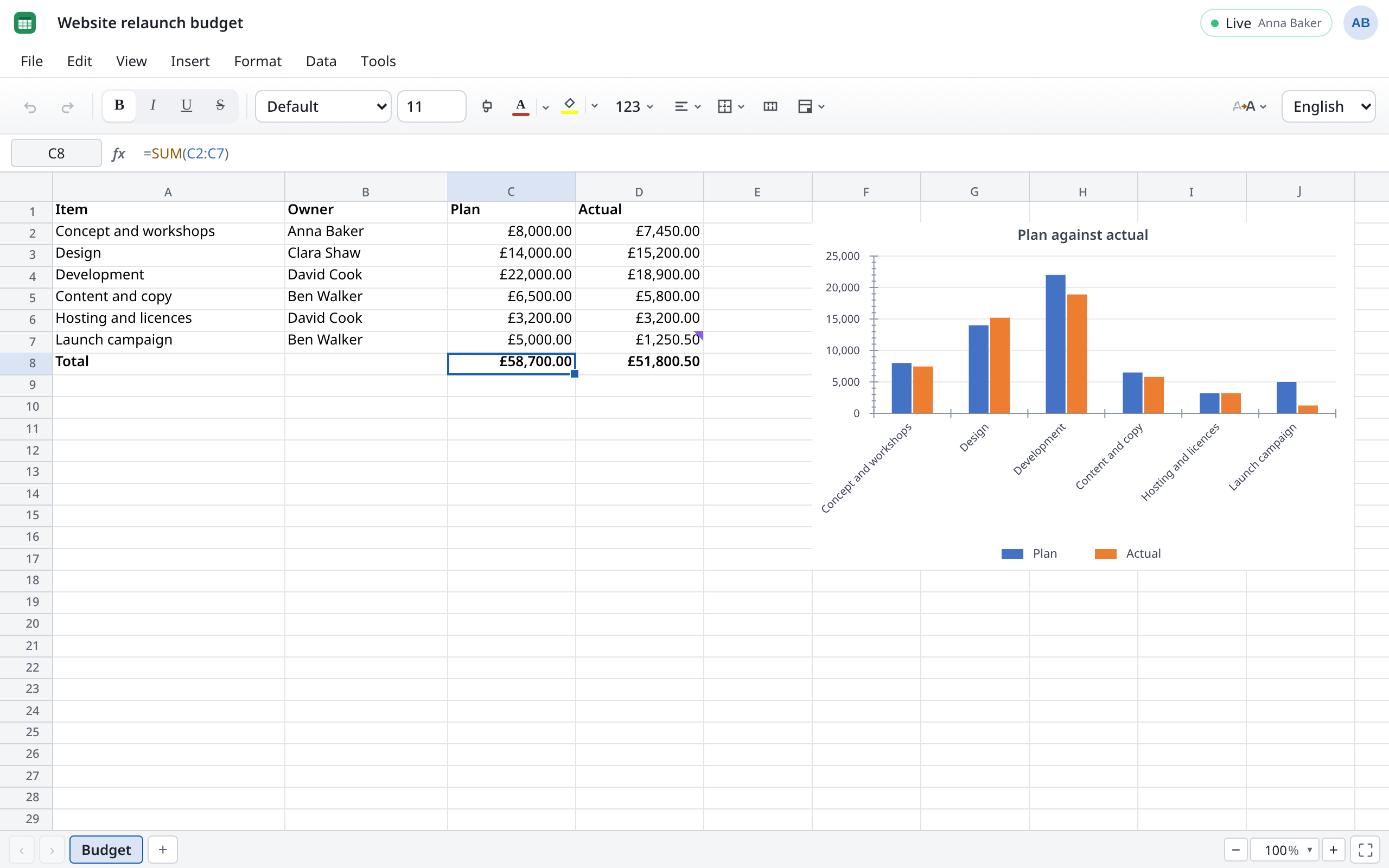
You type functions in the language of the interface. In English that's SUM, IF, VLOOKUP, with commas between the arguments:
=SUMIF(B2:B20,"Design",D2:D20)adds up all the actual amounts in “Website relaunch budget” that Clara Shaw's design team is responsible for.
The file holds formulas the way Excel stores them. If Ben Walker opens the same spreadsheet with the German interface, he reads =SUMMEWENN(B2:B20;"Design";D2:D20). There's nothing to switch when uploading or downloading.
- As you type, Sheets suggests matching functions. ↑ and ↓ choose, Tab inserts. You also see which arguments the function expects.
- Insert function, next to the formula bar, lists all of the roughly 500 functions by category, with search and descriptions.
- Modern functions such as
XLOOKUP,FILTER,UNIQUE,SORT,LETandLAMBDAare there too. Results with several values spill into the neighbouring cells, as in current Excel. - Numbers and dates appear in the format of the interface language.
What isn't there: functions that fetch data from the internet or from outside the file, such as WEBSERVICE or the cube functions.
Searching commands
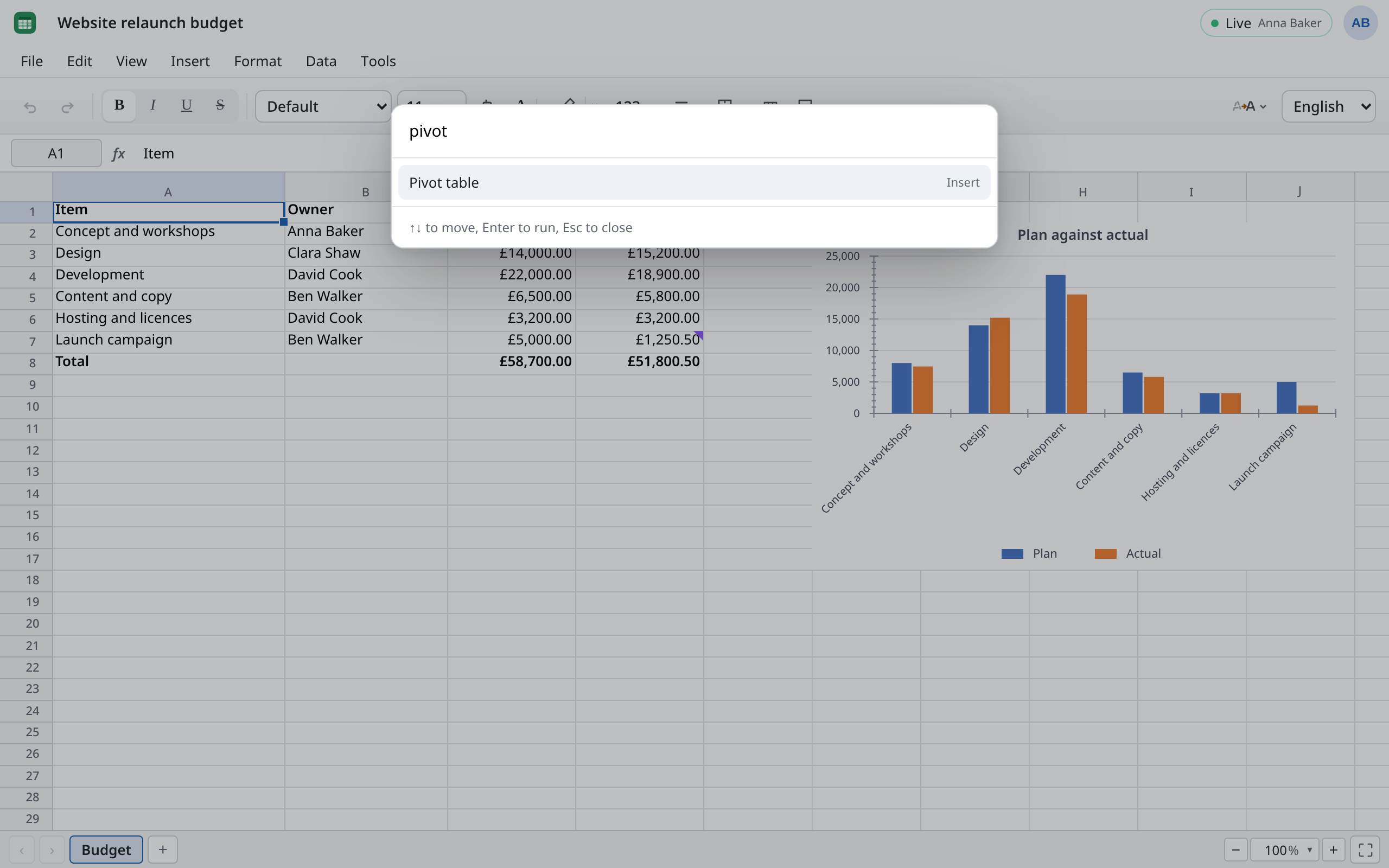
Know what you want but not which menu it's in? Press ++Ctrl+Shift+P++ or choose Tools → Search commands…. Type a few letters, for example “dupl” for Remove Duplicates…, choose with the arrow keys and press Enter.
The menus
| Menu | What you'll find there |
|---|---|
| File | Export as xlsx, ods and csv, Print (also as PDF), Version history |
| Edit | Undo, copy and paste, Paste special, Fill with Flash Fill, Find and replace…, Go to special, inserting and deleting rows and columns |
| View | Freeze, Split window, Gridlines, Page Break Preview, Custom Views…, Show formulas, Show all notes, Watch window, Comments, light or dark Appearance |
| Insert | Chart, Sparkline, Image, Shape, Form control, page breaks, Table, Pivot table |
| Format | Format cells… (++Ctrl+1++), font style, Merge, Lock cells, conditional formatting, Cell styles…, Themes… |
| Data | Sorting, Filter, Advanced Filter…, Data tools (including Remove Duplicates…, Text to Columns…, Validation), What if (Goal Seek…, Solver…, Scenario Manager…), Protection, Name Manager…, Manage notes |
| Tools | Search commands…, Formula auditing, Calculation options, Check spelling and grammar, Dictionary…, Custom Lists… |
The toolbar below holds what you need all the time: font, colours, borders, alignment and number formats. Right-click cells, row or column headers for the commands that go with them.
The sheets are tabs along the bottom. Add sheet makes a new one; right-click a tab for Rename, Duplicate, Hide and its colour.
What Sheets brings
- Pivot tables from Insert → Pivot table, with slicers to filter at a click.
- Tables with headers, filters and a total row from Insert → Table.
- Charts: column, bar, line, pie, scatter, and newer ones such as waterfall, funnel, treemap and histogram.
- Conditional formatting and validation, to colour amounts over plan red, say, or to allow only numbers.
- What-if analysis: goal seek, data tables, scenarios and solver.
- Protection: Data → Protection protects a sheet or the workbook. Use Format → Lock cells beforehand to choose which cells are locked.
- Notes and comments: notes are Excel's classic yellow stickies (New note, ++Shift+F2++). Comments are conversations with replies and
@mentions, see Comments.
Different from Excel
- No saving, no importing. Every change is kept straight away. To bring a file in, use Upload in the overview; that goes for CSV too.
- No macros. VBA is removed on opening. See File formats.
- Everything is recalculated every time. In very large spreadsheets with many formulas this can take a moment. F9 (Calculate now) recalculates by hand.
- Links in cells (
HYPERLINK) show their text but can't be clicked. - Split windows become frozen rows and columns in Excel.
- No accessibility checker in Sheets; it's in Writer and Slides.