
Calendar
Calendar keeps your events and tasks, invites others, and shows when your colleagues are free.
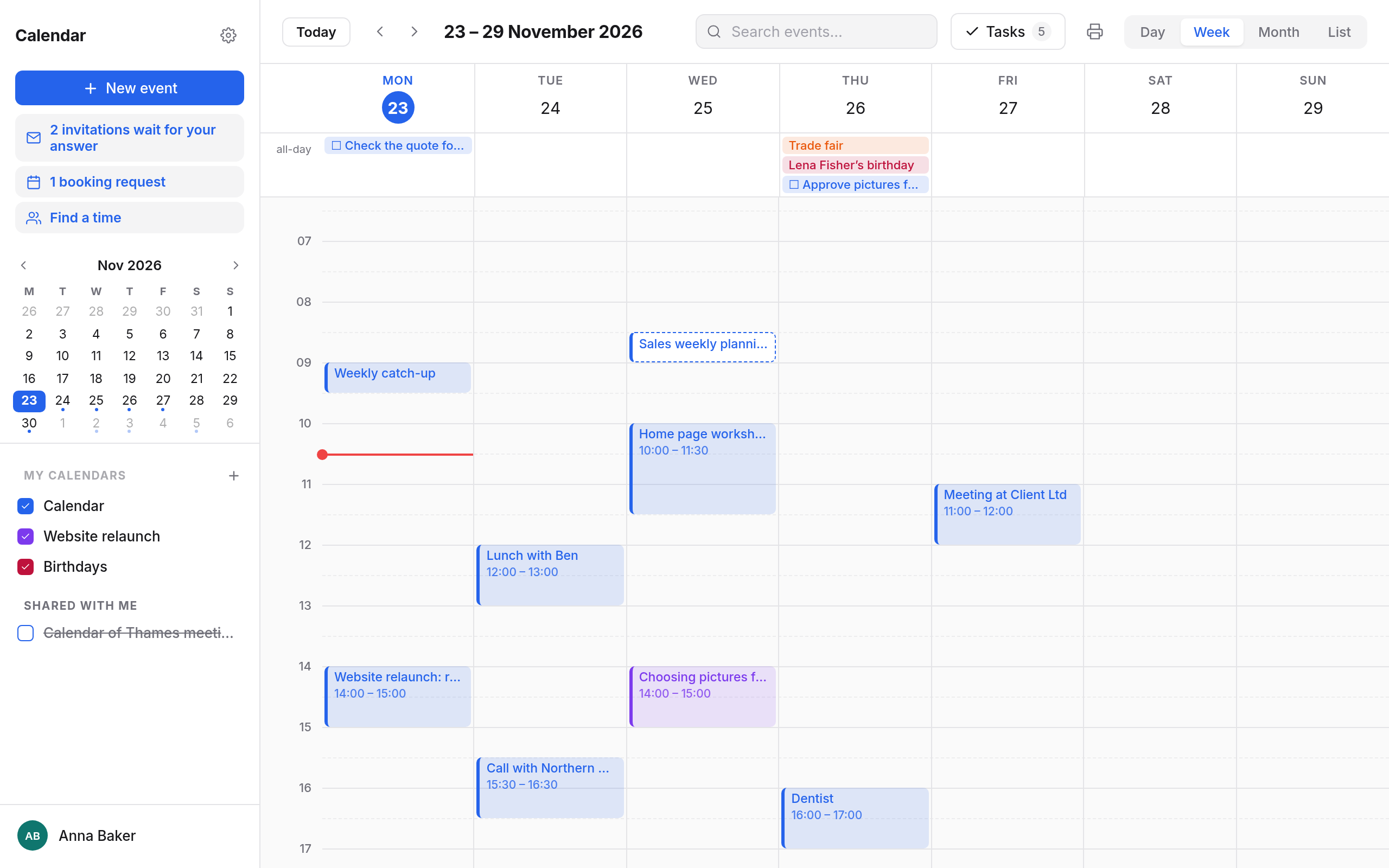
Events and series
- Views: Day, Week, Month and List, plus a search across all events.
- Series: daily, on weekdays, weekly on chosen days, monthly, yearly or entirely as you like. When changing one, choose This event, This and following events or All events.
- Reminders, location, notes, categories with colours, attachments and links.
- Time zones: each event can have its own, and day and week can show a second time zone.
Inviting and being invited
- Invite guests, from your organisation or outside. Availability shows when everyone is free, and Find a time when everyone is free suggests times that fit.
- People invited answer Yes, Maybe or No, for a whole series or a single date, and can Propose a new time.
- Invitations waiting for your answer are gathered at the top of the sidebar.
Sharing and subscribing
- Sharing: give a calendar out to view, to edit, or as free/busy only.
- Delegates: colleagues who can edit your calendar, invite in your name and answer your invitations.
- Subscribing: add outside calendars by address (
webcal:), such as public holidays or fixtures. - Import and export as iCalendar files (
.ics). - Birthdays of your contacts appear by themselves in the Birthdays calendar.
Sharing calendars → · Subscribing, import and export →
Tasks
Tasks with due dates and priorities are in the Tasks panel beside the calendar, and reach your phone's reminders too. Tasks →
Booking pages
Others book time with you, without an account: you say when you are free, they pick a free time, you accept. Setting up booking pages →
Find a time
For a meeting with several people, propose 2 to 30 times under Find a time and ask up to 100 people, account or not. Each gets a link of their own by mail and answers each time with Suits me, If need be or Does not suit me. You see the answers as they come and choose the time: it becomes an event with everyone invited. Find a time →
Settings and keyboard
Time zone, first day of the week, week numbers, category colours and more apply on all your devices. Settings and shortcuts →
On your phone
Calendars and tasks sync through CalDAV, see App passwords.
In this section
- EventsViews, new events, all-day events, time zones, series, reminders, categories, attachments and printing.
- InvitationsInviting guests, finding free times, answering invitations, proposing a new time, and choosing which invitations come into your calendar.
- Sharing calendarsGiving out a calendar to view, to edit or as free/busy only, using shared calendars, and setting up delegates.
- Subscribing, import and exportSubscribing to outside calendars by address or webcal link, importing and exporting .ics files, making calendars of your own, and the birthdays calendar.
- TasksTasks with due dates, times and priorities beside the calendar, ticked off here and in your phone's reminders.
- Rooms and equipmentInviting meeting rooms and equipment like guests, seeing whether they are free, and answering requests as the person in charge.
- Booking pagesOthers book time with you, without an account. You set the times and accept.
- Find a timeProposing several times, asking up to 100 people, account or not, seeing the answers and choosing a time.
- Settings and shortcutsTime zone, first day of the week, second time zone, week numbers, category colours, invitations, delegates, webcal links and Calendar's keyboard shortcuts.