
Contacts
Contacts keeps the people you deal with. Mail and Calendar suggest them when you write and invite.
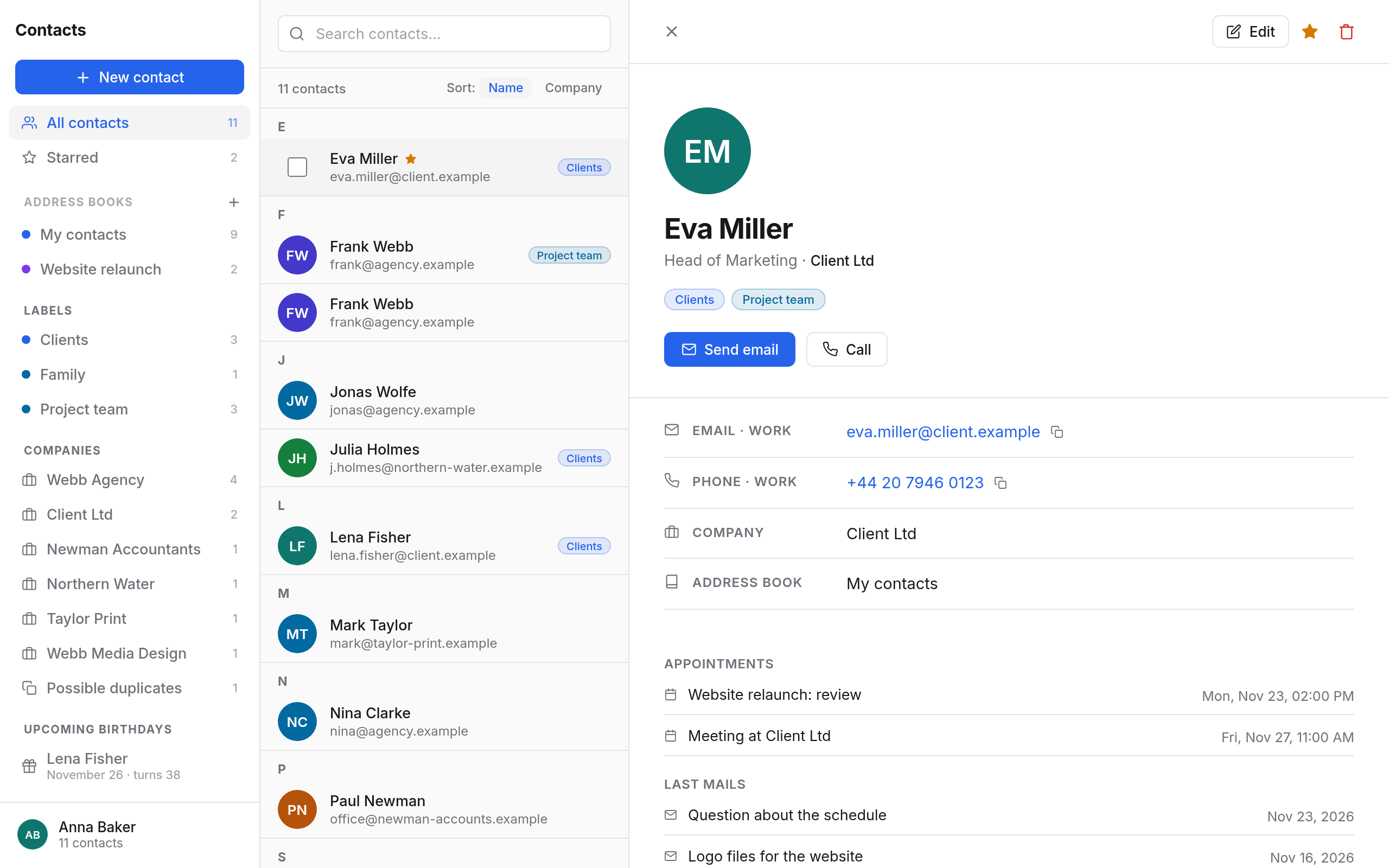
What Contacts does
- Contacts with photo, company, department, job title, several email addresses, phone numbers, addresses and websites, birthday and notes. Each contact shows your latest mail and events with them. Adding and editing contacts →
- Labels are your groups: a contact can have several. Type a label into a mail's To field, and every contact with that label is added.
- Companies: contacts by organisation, with all mail and events with them. Labels and companies →
- Possible duplicates are found by Contacts itself. Choose Merge… or Not the same.
- Upcoming birthdays of the next 30 days. Duplicates and birthdays →
- Starred contacts for the most important people.
- Address books: next to My contacts, make more and share them to view or to edit.
- Import and export as vCard files (
.vcf). Importing merges contacts that are already there. Address books, sharing, import →
On your phone
Contacts sync through CardDAV, see App passwords.
In this section
- Adding and editing contactsNew contacts, all the fields, photo, starring, searching, selecting several, writing mail, calling and the history with a contact.
- Labels and companiesGrouping contacts with labels, using labels as recipients in Mail and Calendar, renaming and colouring them, and the view by company.
- Duplicates and birthdaysFinding and merging contacts that are there twice, marking them as different people, and upcoming birthdays.
- Address booksMaking address books of your own, sharing them, using shared address books, your organisation's directory, and importing and exporting vCard files.