
Tasks
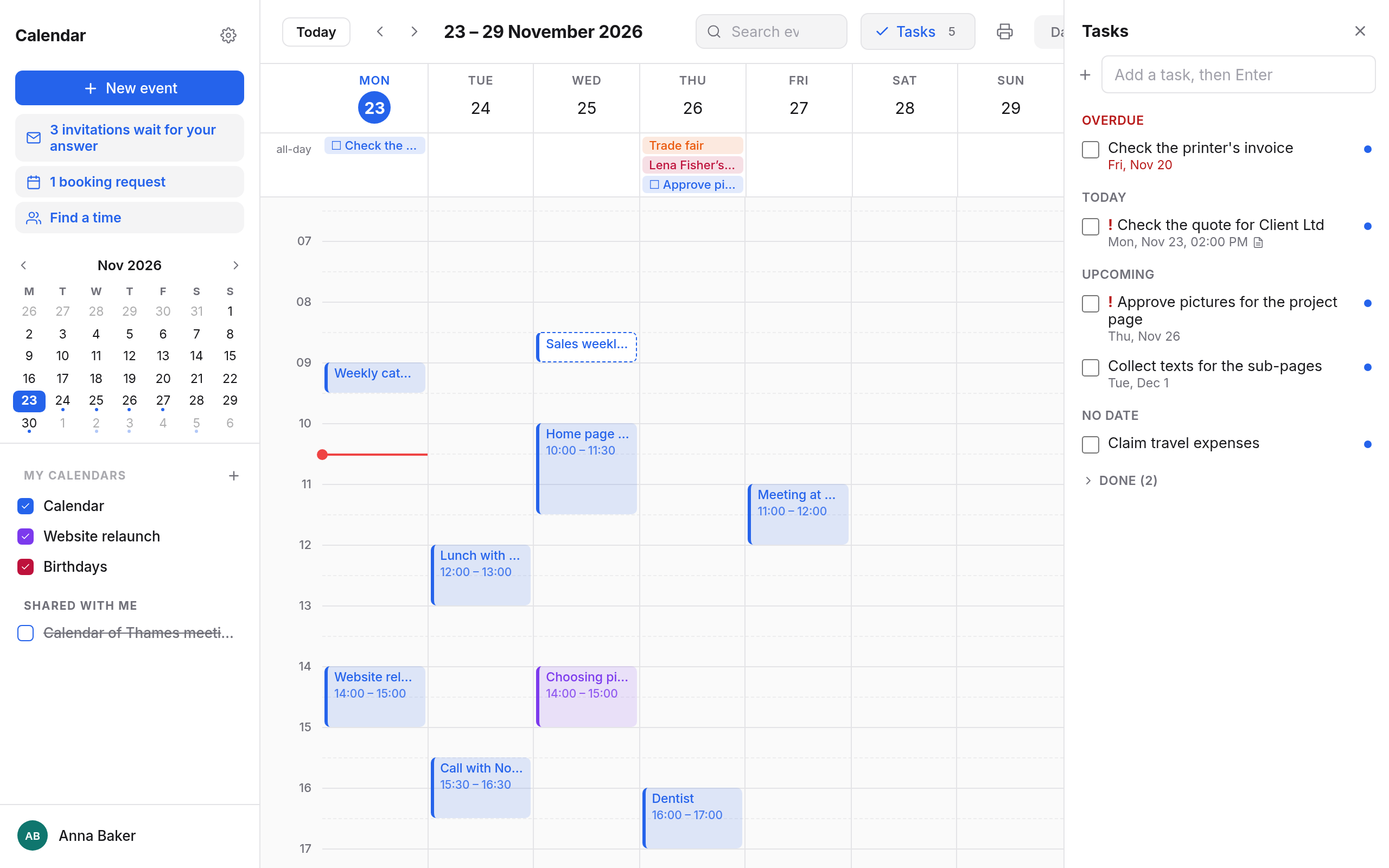
Tasks are things to be done, with or without a date: "Send the quote to Client Ltd", "Check the texts for the home page". They have a panel of their own beside the calendar.
Opening the tasks panel
Choose Tasks at the top or press a. The number on the button is how many tasks are open. A second click closes the panel.
Tasks are grouped by when they are due:
| Group | What is in it |
|---|---|
| Overdue | Open tasks whose date has passed. |
| Today | What is due today. |
| Upcoming | What is due later. |
| No date | Tasks without a due date. |
| Done | Ticked-off tasks, folded away. A click unfolds them. |
Adding a task
Type into the Add a task, then Enter field at the top of the panel and press Enter. The task comes without a date into the calendar you last put an event into, or else your personal one. Open it to add a date and more.
Editing a task
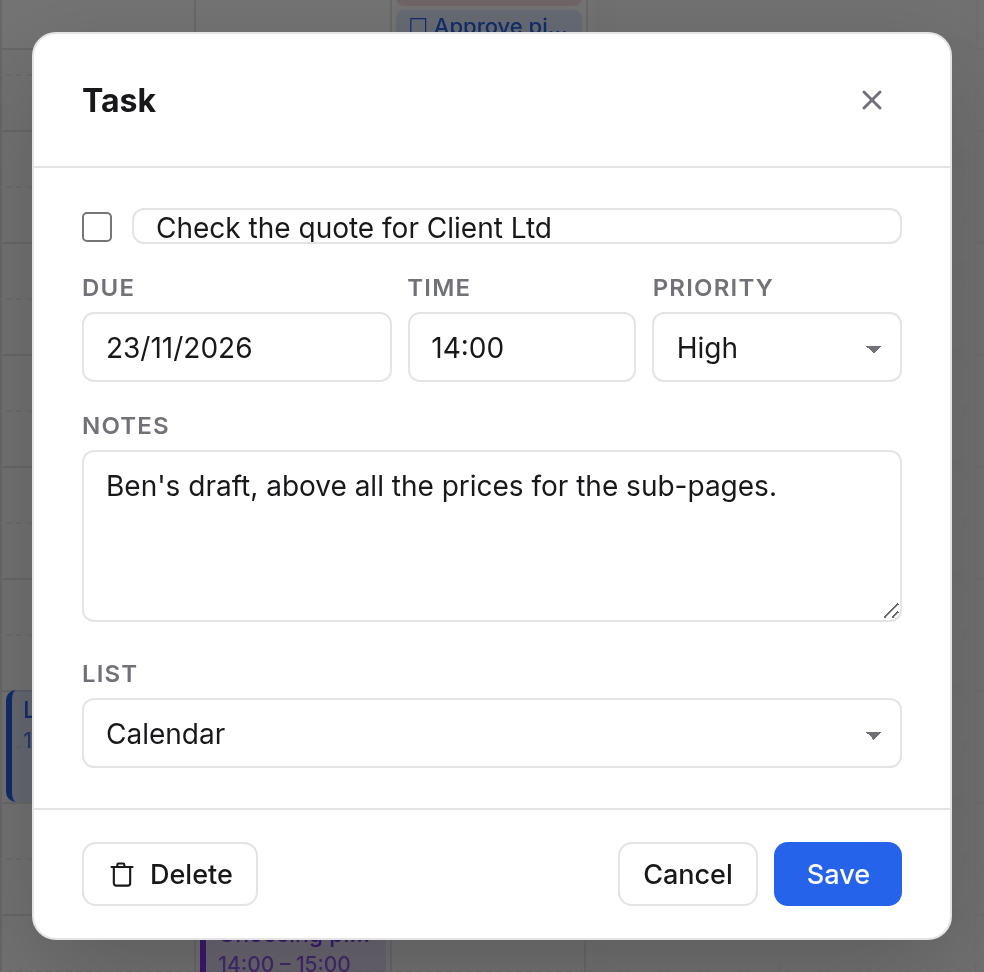
Click a task, and the Task dialog opens:
| Field | Meaning |
|---|---|
| Box before the title | Done or not. |
| Title | What is to be done. |
| Due | By when. Without a date, the task is under No date. |
| Time | A time for that date, if you like. |
| Priority | None, High, Medium or Low. Important tasks have an exclamation mark in the list. |
| Notes | Free text. |
| List | Which calendar the task is in. With only one, the field is not shown. |
Save keeps your changes, Delete removes the task.
Ticking off
Click the box before a task. It moves to Done. A second click opens it again.
Tasks in the calendar
Open tasks with a date also show in the calendar, on their day, at the top with the all-day events, with a box before the title. A click opens the task. Tasks don't make you busy.
When you hide a calendar, its tasks are hidden too.
On your phone
To reminder and task apps, each calendar is a list of its own. When you sync through CalDAV, your tasks show for example in Reminders on the iPhone, in Thunderbird, or in Tasks.org with DAVx⁵. What you tick off there is done here too. See App passwords.