
Versions and trash
Little gets lost in Box. When you overwrite a file, Box keeps the old one as a version. When you delete something, it goes into the trash first.
Versions
Every time a file changes, the one before becomes a version: when you replace it while uploading, edit a Markdown file, or the Nextcloud app uploads a changed file.
- Choose Versions… in a file's menu.
- At the top is the Current version, below it the earlier ones, each with date, time and size.
- For an earlier version you can:
- download it with the arrow, say to compare it with the current one,
- make it the current one again with Restore,
- delete it with ×.
- Choose Done.
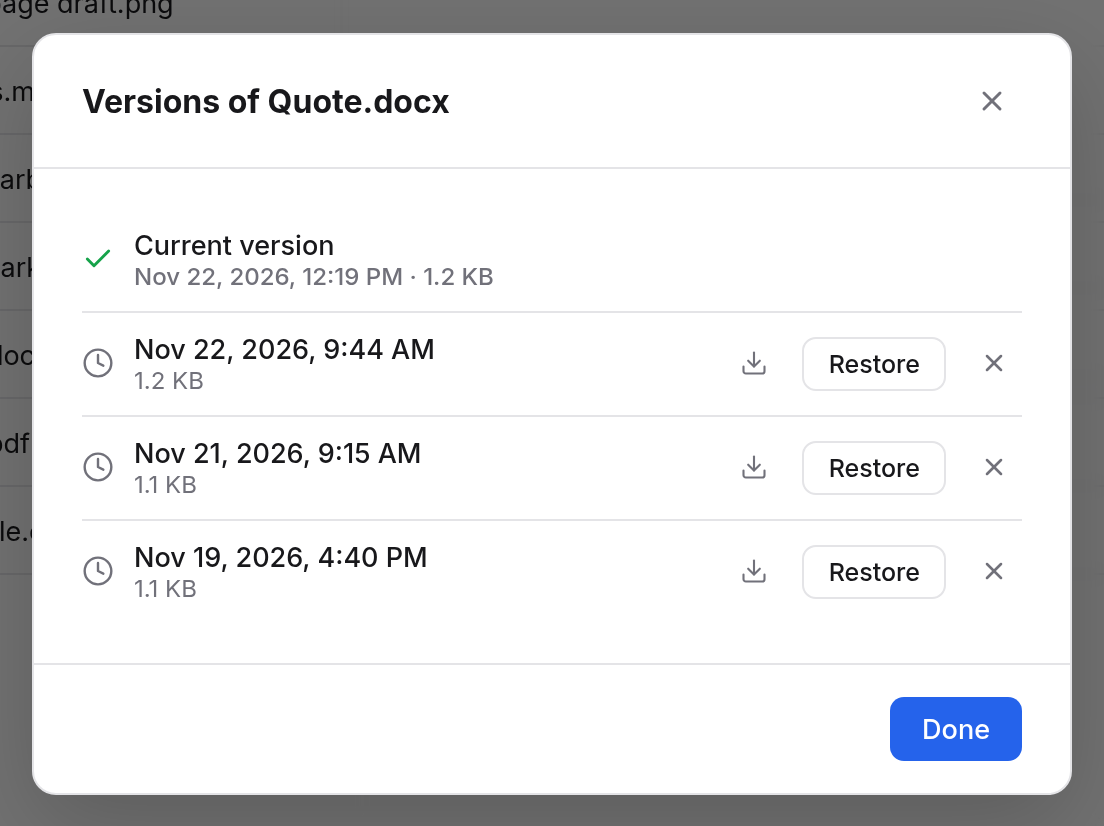
When you restore a version, what was current until then becomes a version itself. So you can undo that too.
Files have versions; folders don't. Anyone who may see the file may view and download its versions. Only someone who may change the file may restore or delete them.
How long versions stay
- All versions of the last 24 hours stay.
- Of the days before, the last version of each day stays.
- After 30 days versions go, and at most 100 stay per file.
Deleting and Undo
When you choose Delete, Box asks to make sure. With a folder, everything in it goes too. Then a message such as "Quote.pdf moved to the trash" shows at the bottom, with Undo. One click, and everything is back in its place. That's for your own files. What you delete in someone else's folder only the person it belongs to can bring back (see below).
The trash
Trash in the sidebar holds everything you deleted:
| Column | Meaning |
|---|---|
| Name | File or folder |
| Was in | The folder it was in before |
| Size | How large it is |
| Deleted | When, and by whom if it wasn't you |
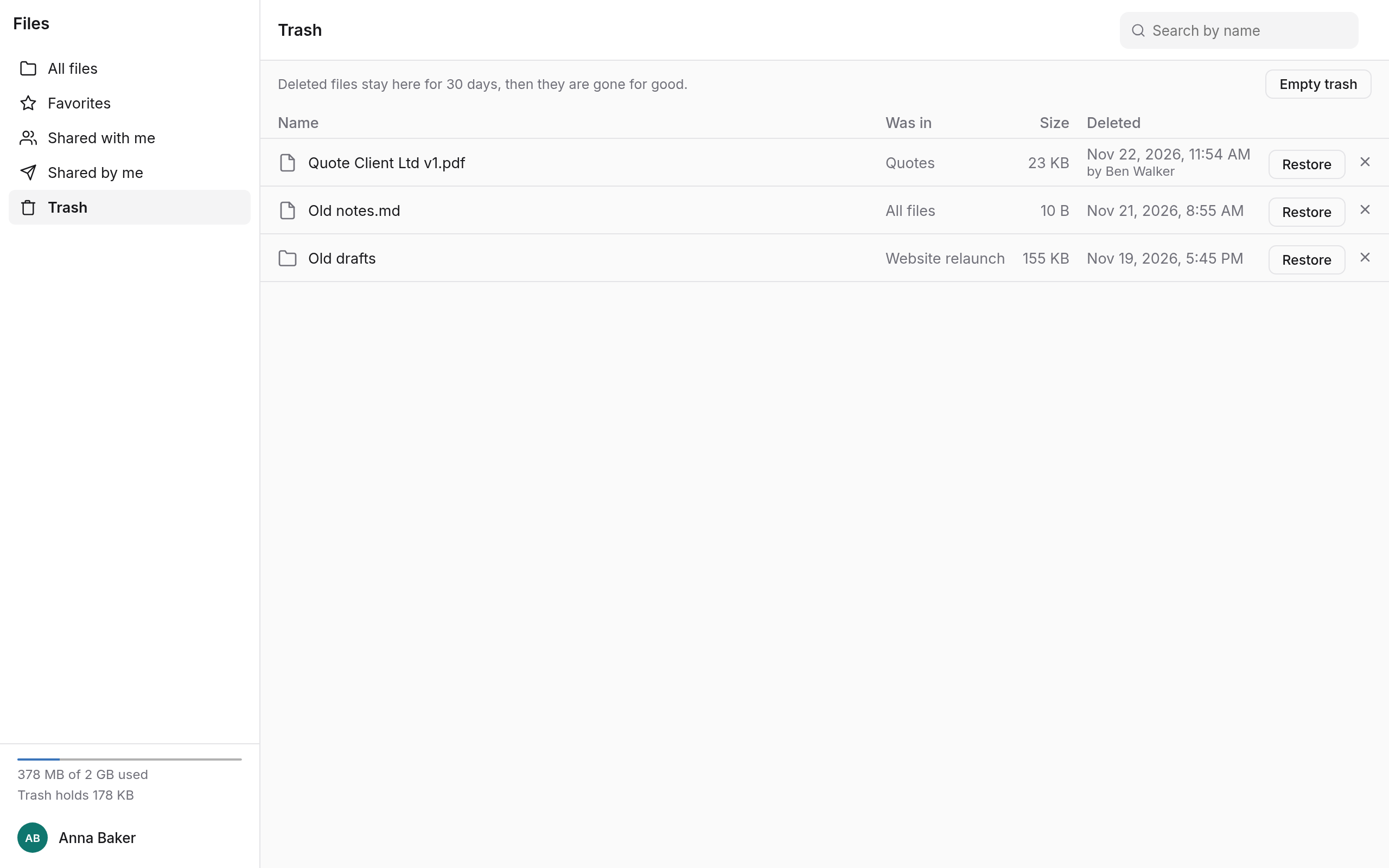
- Restore puts the item back in its old place, with its versions. If something of the same name is there by now, it gets a new name. If the folder no longer exists, it lands in All files.
- The bin beside it (Delete now) deletes the item for good, after asking.
- Empty trash deletes everything in the trash for good, after asking.
What is deleted for good can't be brought back.
What ends up in the trash
- What someone else deletes in a folder you share with them goes into your trash. The Deleted column then says who it was. Only you can bring it back.
- What you delete in a folder someone shares with you goes into the trash of the person the folder belongs to.
- An item you get rid of with Remove from my files doesn't go into the trash (see Sharing).
- If you shared something and then deleted it, it is no longer shared, not even when you restore it.
How long the trash keeps things
Deleted items stay in the trash for 30 days, then they are gone for good. The top of the trash says how long it is for you.
Storage
The trash and versions don't count against your storage. So when you are at the limit, deleting makes room at once. The bottom of the sidebar says how much the trash holds right now, such as "Trash holds 1.2 GB".