
Rooms and equipment
Meeting rooms, projectors or a pool car have an address and a calendar of their own. You book them by inviting them to your event.
Booking a room
- Open your event or make a new one.
- Under Guests, type the room's name, for example "Thames". Rooms and equipment show in the suggestions marked Room or equipment.
- Pick the room, here "Thames meeting room".
- Check under Availability whether it is free at your time. It has a row there like any guest.
- Save the event.
Everyone can see when a room is busy. Find a time when everyone is free looks for a time when guests and room are free.
How the room answers
On your event's card, the room shows how the booking stands:
| Shown | Meaning |
|---|---|
| Booked | The room is reserved for you. |
| Not available | The room is busy at that time already, or someone declined the request. |
| Awaiting approval | Someone still has to confirm the booking. |
Rooms and equipment are booked in one of two ways:
- Automatically: the room accepts by itself when it is free, and declines otherwise. For a series, it must be free for every coming date in the next year.
- With approval: the request goes to the people in charge of the room, the office for instance. They accept or decline.
When you move the event, the room is asked again: an automatic room checks again whether it is free. For a room with approval, the people in charge have to confirm the new time. A new title needs no new answer.
When you take the room off the guests or delete the event, the room is free again.
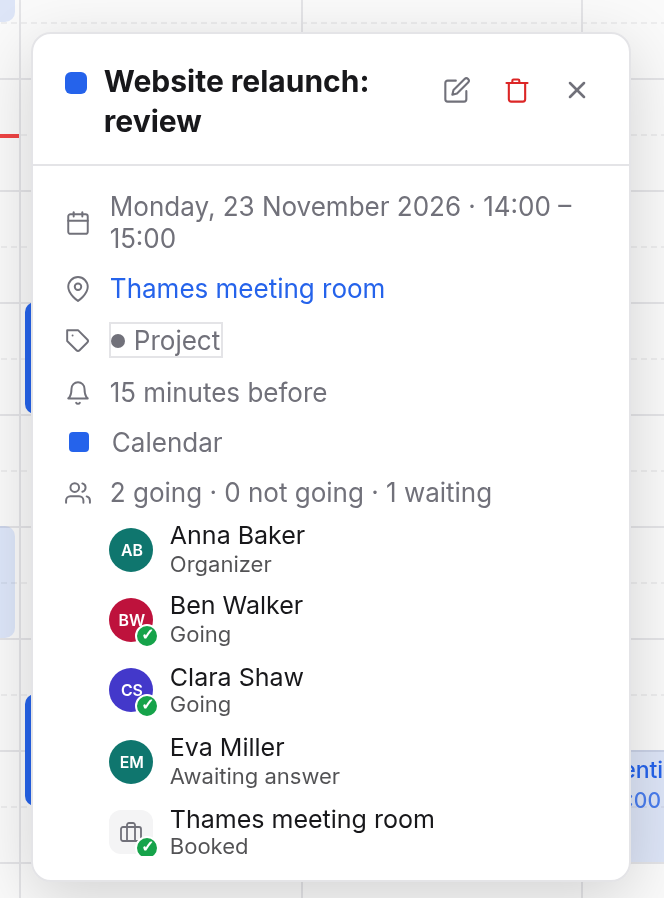
In charge of a room
When you are in charge of a room with approval, its requests come to you:
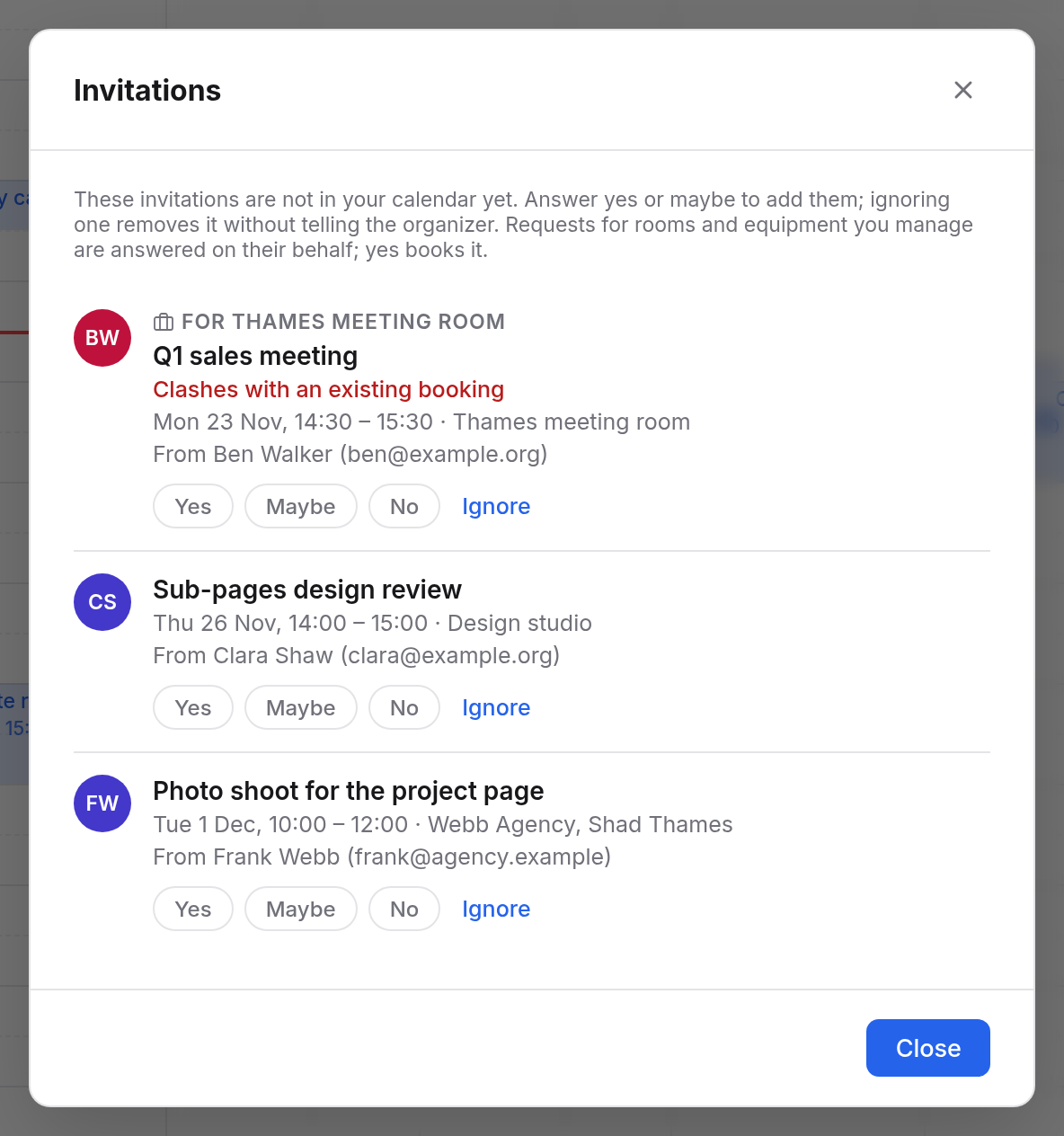
- The top of the sidebar says how many invitations wait. A click opens Invitations.
- Requests for the room are marked "For" and the room's name. When a request clashes with an existing booking, it says so.
- Choose Yes to book the room, or No to decline. Ignore removes the request without answering.
You answer on the room's behalf, not for yourself.
You see the room's calendar in the sidebar under Shared with me, for example "Calendar of Thames meeting room". That way you have every booking in view.