
Forwarding
With forwarding, Mail sends every incoming message on to another address, such as a colleague standing in for you, or another mailbox.
Turning forwarding on
- Choose Settings at the bottom of the sidebar, then the Forwarding tab.
- Tick Forward incoming mail.
- Enter one or more addresses under Forward to. Mail suggests people as you type.
- Leave Keep a copy in this mailbox ticked if the mail should stay with you as well.
- Choose Save.
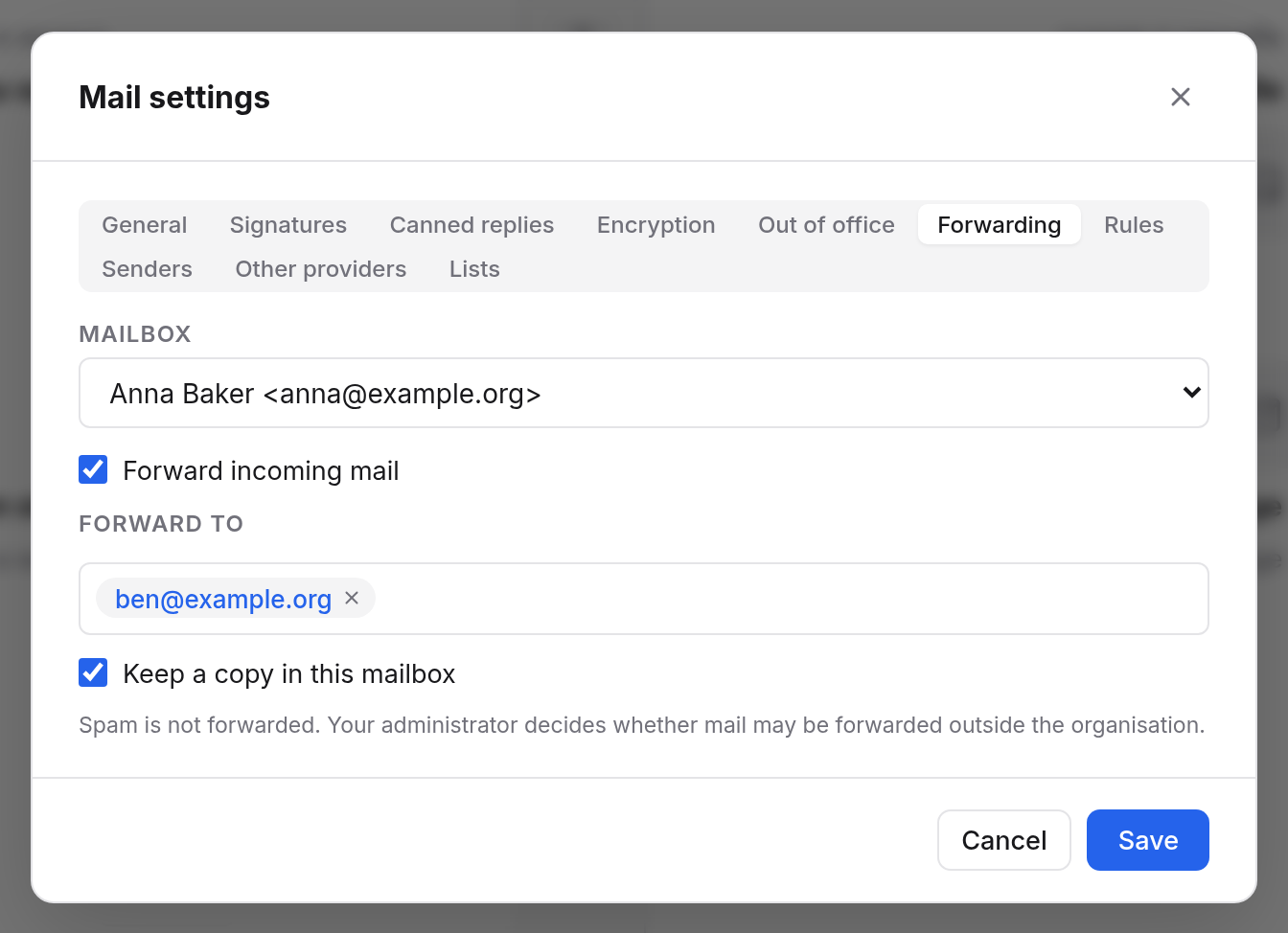
Without a copy, forwarded mail does not land in your mailbox. Only turn the copy off if you are sure you won't need the mail here.
What is forwarded
- All mail that arrives in your mailbox, except spam. Spam is never forwarded.
- Messages go on unchanged, with the original sender. When the recipient replies, the reply goes to the sender, not to you.
Forwarding only some mail
If you don't want to forward everything but only invoices, say, use a rule with the Forward to action instead.
For a group mailbox
If you manage a group mailbox, choose under Mailbox at the top of the tab which mailbox the forwarding is for.