
Duplicates and birthdays
Possible duplicates
Contacts looks by itself for entries that could be the same person. When it finds some, the sidebar shows Possible duplicates with the number of groups.
Contacts count as possible duplicates when they have
- the same email address,
- the same phone number: the last nine digits count, so
+44 7700 900123and07700 900123meet, - the same full name of at least two words.
It looks in every address book you may edit, across address books too. Your organisation's directory doesn't count.
- Choose Possible duplicates.
- Each group shows the contacts and what they have in common, such as "Same email address".
- Choose Merge… when it is the same person, or Not the same when it isn't.
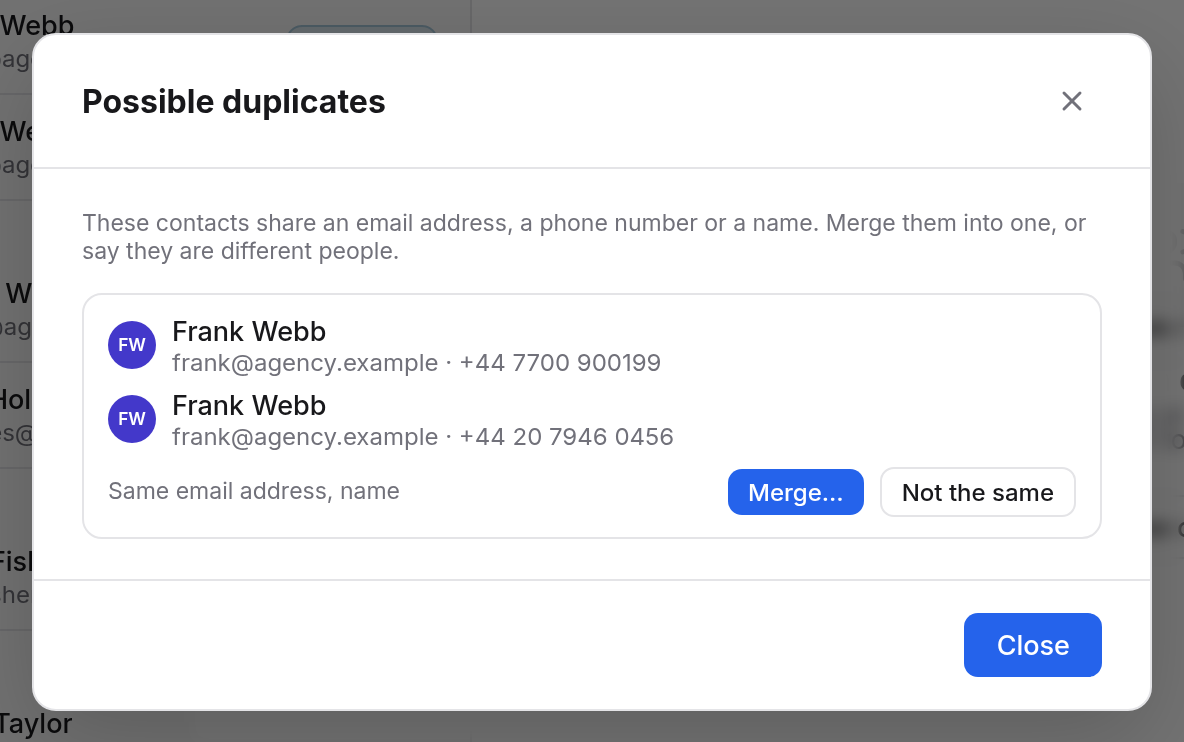
Not the same is remembered on all your devices. Those contacts are no longer suggested as duplicates.
Merging
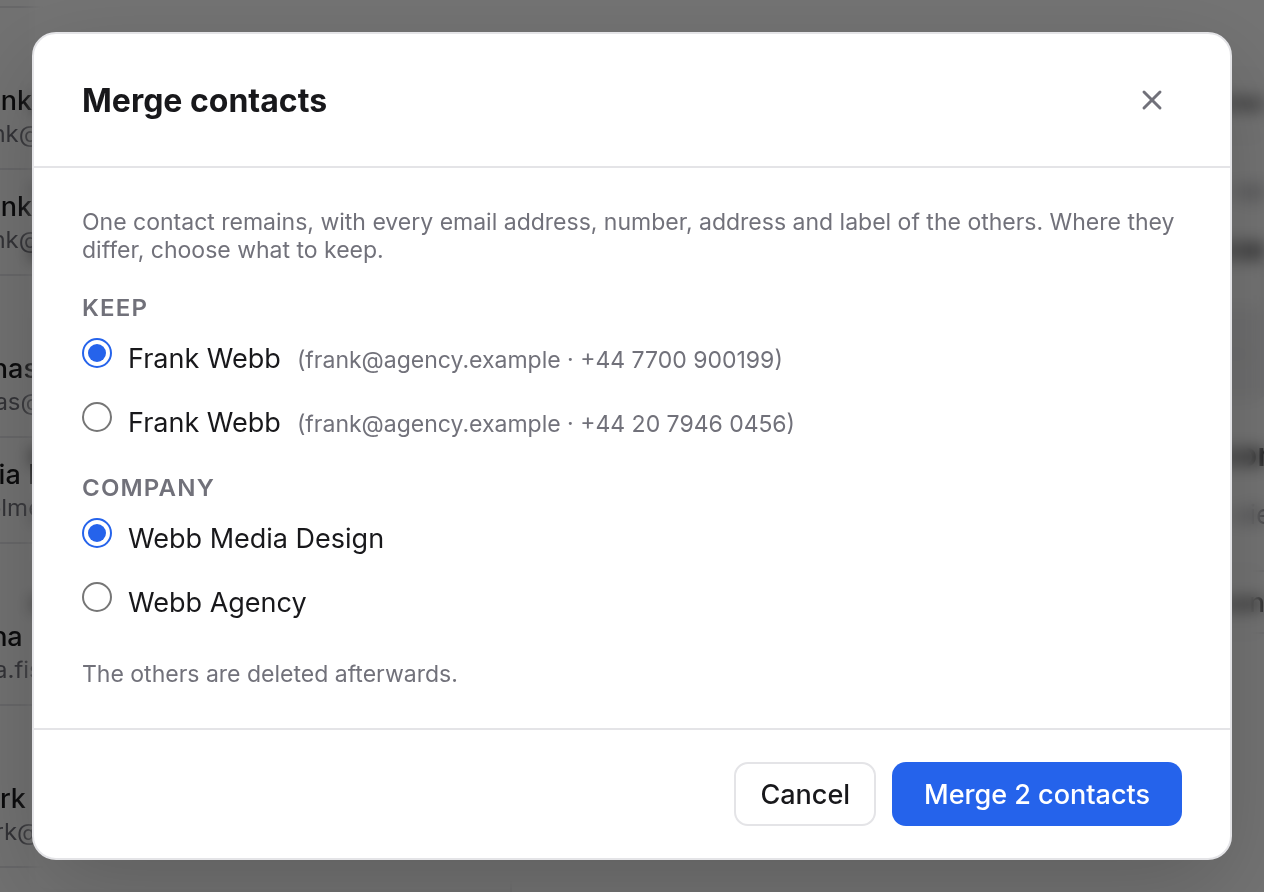
Merge… opens Merge contacts:
- Under Keep, choose which contact remains. The fullest one is chosen to begin with.
- Where single fields differ, such as the company or the birthday, choose what to keep for each.
- Choose the button at the bottom, such as "Merge 2 contacts".
The contact that remains gets every email address, phone number, postal address, website and label of the others. If only another one has a photo, the photo comes along. The other contacts are then deleted.
Upcoming birthdays
At the bottom of the sidebar, Upcoming birthdays lists the next birthdays of the coming 30 days, five at most. Each says Today, Tomorrow or the date, and when the year of birth is known, how old the person turns. A click opens the contact.
Enter the birthday in the contact under Birthday, with the year only if you know it.
All your contacts' birthdays are in Calendar too, in the Birthdays calendar. See The birthdays calendar.