Sessions and security log
Every browser where you are signed in at Accounts is a session. Your account settings list them all, and you can end each one. The security log shows when someone signed in and what was changed on your account.
Open your account settings: Settings on the Accounts start page, or the account menu in any app and Account settings.
Active sessions
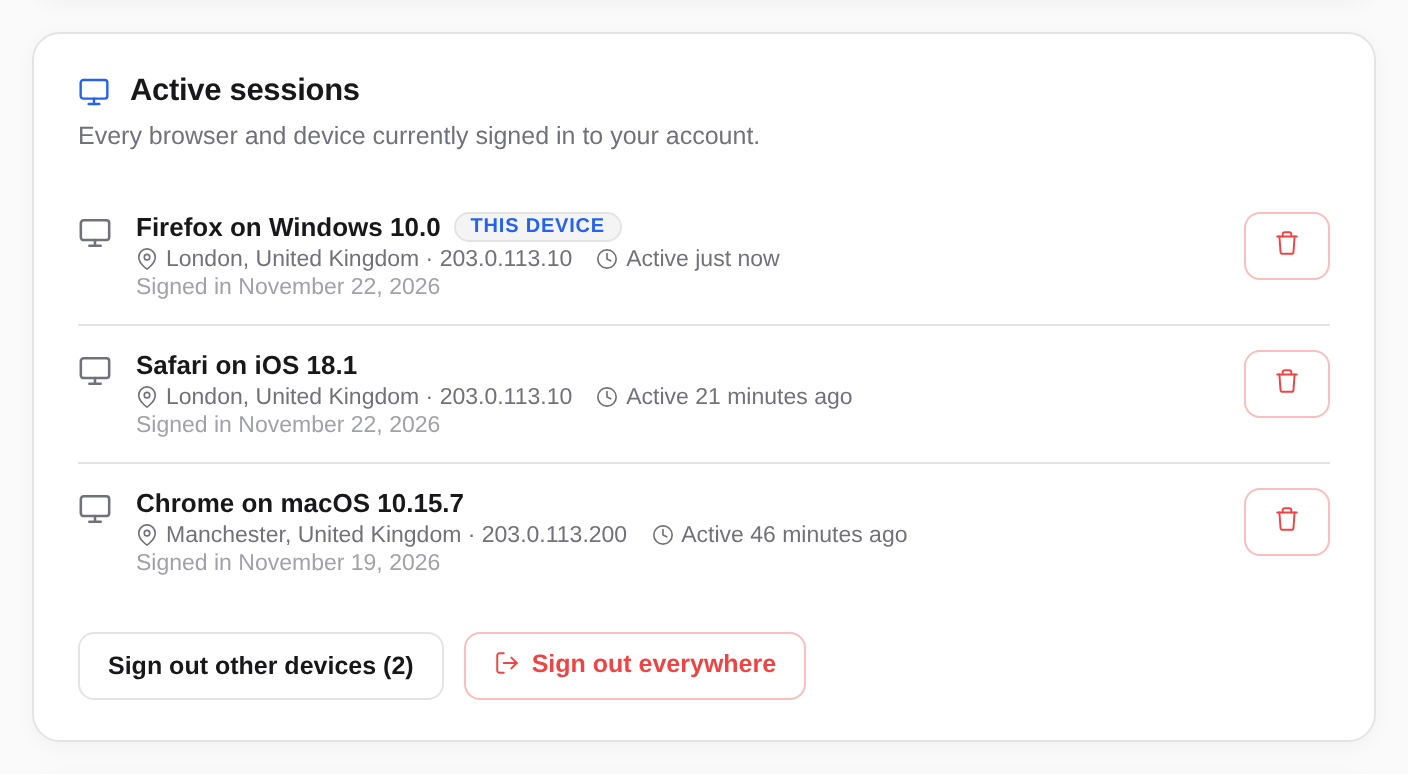
The Active sessions section lists each session with:
- the device, that is browser and operating system, for example "Firefox on Windows 10",
- the approximate location and the IP address,
- when it was last active, and on which day you signed in there.
The session you are in right now carries the THIS DEVICE badge.
Signing out a device
Choose the bin icon next to the session (End this session). The device is signed out at once, in Accounts and in every app. Whoever is there has to sign in again.
If you choose the icon at THIS DEVICE (Sign out of this device), you sign yourself out.
Signing out all others, or everywhere
- Sign out other devices ends every session except the one you are in. The number after it says how many there are.
- Sign out everywhere ends every session, this one included. You land on the sign-in page.
You need this, for example, if you forgot to sign out on someone else's computer, or a laptop was stolen.
The security log
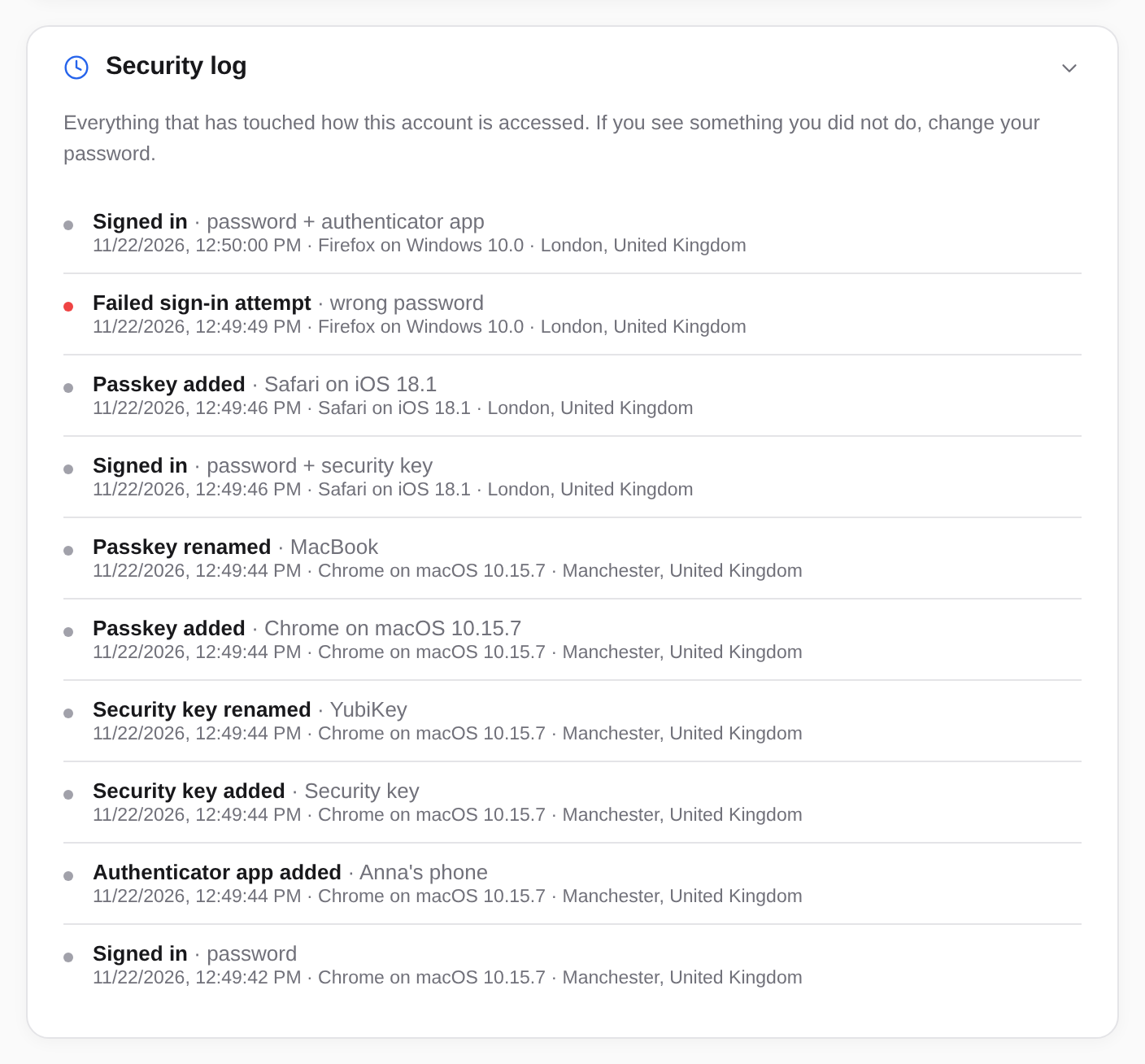
Choose Security log at the bottom of the settings to open it. It shows the latest events, newest first, each with date and time, device, and location or IP address.
| Entry | Means |
|---|---|
| Signed in | A sign-in, followed by how, such as password + authenticator app or passkey. |
| Failed sign-in attempt | Someone entered a wrong password or code. |
| Signed out, Session ended, Sessions ended | A sign-out, or you ended sessions in the settings. |
| Password changed, Password reset | The password was changed in the settings, or set anew from an email link. |
| Password reset link requested | Someone chose Forgot?. |
| Two-factor authentication turned off | Two-factor was turned off from an email link. |
| Authenticator app added, Security key removed, Passkey added … | Changes to how you sign in. |
| Language changed | The language in Accounts was changed. |
| Changed by an administrator | Your administrators changed something on your account. |
Events that may point to someone else getting in are highlighted: failed attempts, resets by email, removed sign-in methods and changes by administrators.