
Box
Box is your storage for files: in the browser, on your computer and on your phone, with the Nextcloud apps.
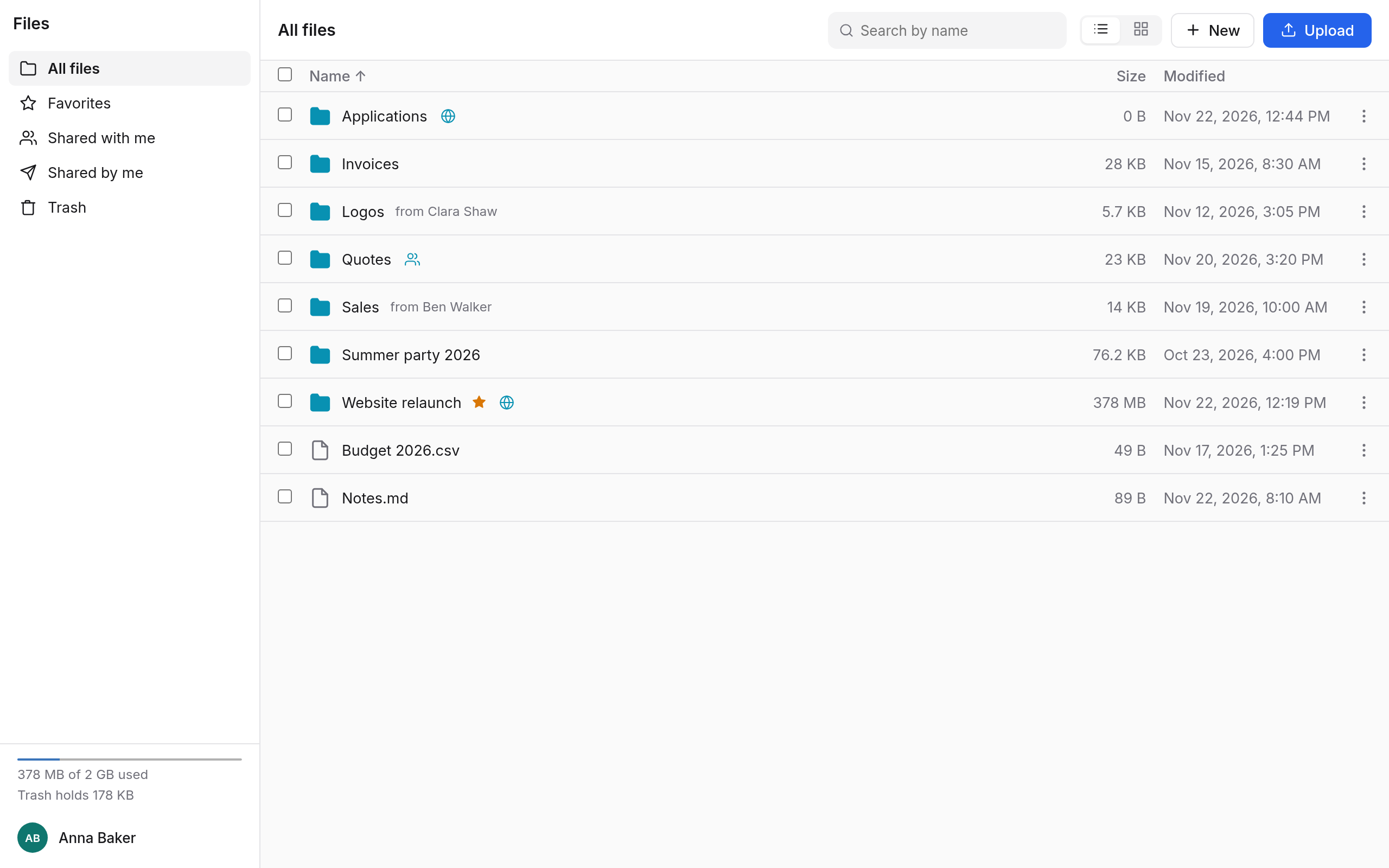
The sections
On the left, in the sidebar:
| Section | What is there |
|---|---|
| All files | Your folders and files, and what others share with you. |
| Favorites | What you have starred. |
| Shared with me | What others have shared with you. |
| Shared by me | What you share with others, with people or by link. |
| Trash | What you have deleted, for a while still to bring back. |
Below them you see how much storage you use.
What you do in Box
| Task | Page |
|---|---|
| Make folders, move, copy, rename, search, view | Files and folders |
| Upload files and folders | Uploading |
| Share with colleagues | Sharing |
| Make a link for people without an account | Public links |
| Bring back an earlier version, restore something deleted | Versions and trash |
On your computer and phone
With the Nextcloud apps for Windows, macOS, Linux, Android and iOS you have your files without the browser too, on your computer as an ordinary folder. How to set them up is under Nextcloud apps. Other programs that speak WebDAV need an app password.
In this section
- Files and foldersMake folders, view and sort, select, move and copy, rename, favourites, search, view files and edit Markdown.
- UploadingUpload files and whole folders, with the button or by dragging, files of the same name, the upload panel and your storage.
- SharingShare files and folders with colleagues, rights, sharing on, invitations without an account, Shared with me and Shared by me.
- Public linksLinks for people without an account: for viewing, for uploading and editing, or as a file drop, with password and expiry date.
- Versions and trashRestore an earlier version of a file, bring back what you deleted from the trash, how long Box keeps both.