
App passwords
An app password is a password of its own for exactly one device or program: Apple Mail, Thunderbird, DAVx⁵, FairEmail, your phone's calendar app. Your usual password and signing in through Accounts do not work in these programs.
Which app password for what
- Mail, Calendar and Contacts share their app passwords. One you make in any of the three works for IMAP, SMTP, CalDAV and CardDAV.
- Box has app passwords of its own, for WebDAV programs. The Nextcloud apps need none: when you set them up they open the browser, and you allow the device there. That makes an app password named after the device by itself. See Nextcloud apps and WebDAV.
Making an app password
- Open Mail, Calendar or Contacts (or Box, for WebDAV).
- Click your name at the bottom left and choose App passwords….
- Under Device name, say what the password is for, for example "Anna's phone".
- Choose Create password.
- Enter the password in the program now. It is shown only this once.
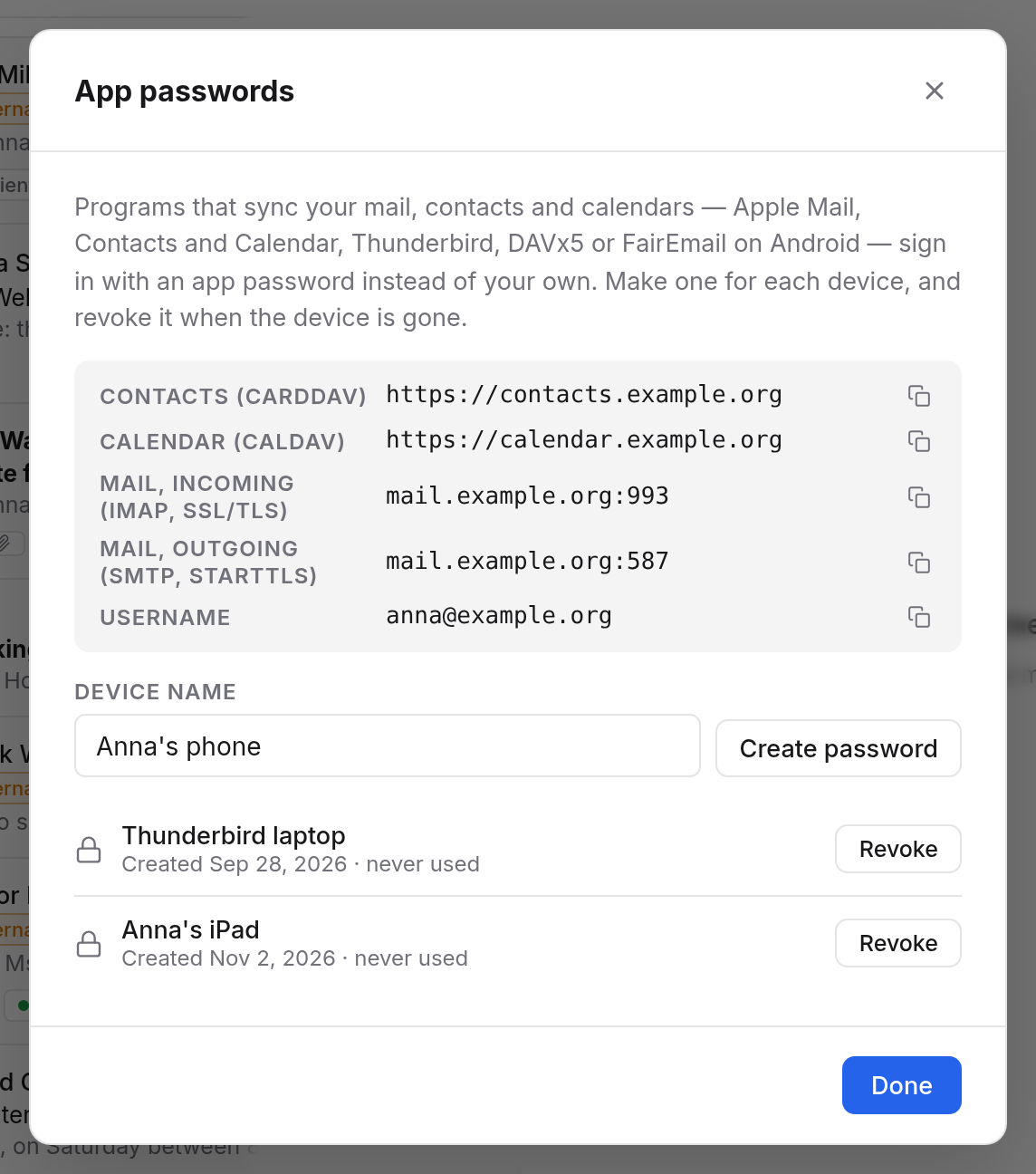
Each address in the dialog has a button to copy it. As the user name, enter your email address.
Settings for your program
| Field | Value |
|---|---|
| User name | your email address, e.g. anna@example.org |
| Password | the app password |
| Incoming (IMAP) | mail.example.org, port 993, SSL/TLS |
| Outgoing (SMTP) | mail.example.org, port 587, STARTTLS |
| Calendar (CalDAV) | https://calendar.example.org |
| Contacts (CardDAV) | https://contacts.example.org |
Guides for your device
Where to enter the details on your device or in your program is on these pages:
- iPhone, iPad and Mac: Apple's Mail, Calendar and Contacts
- Android: DAVx⁵ for calendars, tasks and contacts, FairEmail for mail
- Thunderbird and Outlook: both find the mail servers themselves; you enter only your address and the app password.
- Nextcloud apps and WebDAV: files from Box
Revoking an app password
The App passwords… dialog lists all your app passwords with when they were made and last used. Revoke makes one invalid at once. The program using it can no longer connect.
If it doesn't work
- The program says the password is wrong. Check that you entered the app password and not your usual one, and that the user name is your full email address.
- It worked for a long time and suddenly stopped. The app password may have been revoked, or you haven't signed in in the browser for a while. Sign in once, or make a new app password.
- Mail arrives, but sending fails. SMTP needs port 587 with STARTTLS, not 465.